Examples
Motivating Examples
Change, undo, redo & print
struct Npc_data
{
    int life = 100;
    Point position {0.f, 0.f};
    std::vector<Point> path;
};
REFLECT_PRIVATE(Npc_data, life, position, path)

struct Npc : nf::tracked<Npc_data, Npc>
{
    Npc() : tracked(this) {}

    void hit(int strength)
    {
        auto edit = create_action();
        edit->life -= strength;
    }

    void create_path_to(Point destination)
    {
        auto edit = create_action();
        edit->path.reset();
        edit->path.append(std::vector{
            Point{ .x = (read.position.x + destination.x)/2.f,
                   .y = (read.position.y + destination.y)/2.f },
            Point{ .x = destination.x, .y = destination.y }
        });
    }

};

int main()
{
    Npc npc {};

    npc.hit(10);
    npc.hit(20);
    npc.create_path_to({.x = 33, .y = 44});

    npc.undo_action(); // Undo the "create_path_to" action
    npc.redo_action();
}
Data-change listener
struct Npc_data
{
    float speed = 20.f;
    float x_pos = 0.f;
};
REFLECT_PRIVATE(Npc_data, speed, x_pos)

struct Npc : nf::tracked<Npc_data, Npc>
{
    Npc() : tracked(this) {}

    void walk_towards(float x_dest)
    {
        float distance_to_dest = std::abs(x_dest - read.x_pos);

        auto edit = create_action();
        if ( read.speed >= distance_to_dest )
            edit->x_pos = x_dest;
        else
        {
            edit->x_pos = (x_dest < read.x_pos) ?
                (read.x_pos - read.speed) : (read.x_pos + read.speed);
        }
    }

    void teleport_to(float x_dest)
    {
        create_action()->x_pos = x_dest;
    }

    // Method is auto-detected by nf_hist!
    void value_changed(NF_PATH(root->x_pos), float old_value, float new_value)
    {
        std::cout << "x_pos changed from " << old_value
            << " to " << new_value << '\n';
    }

};

int main()
{
    Npc npc {};
    npc.walk_towards(33.f); // Prints: x_pos changed from 0 to 20
    npc.walk_towards(33.f); // Prints: x_pos changed from 20 to 33
    npc.teleport_to(11.5f); // Prints: x_pos changed from 33 to 11.5
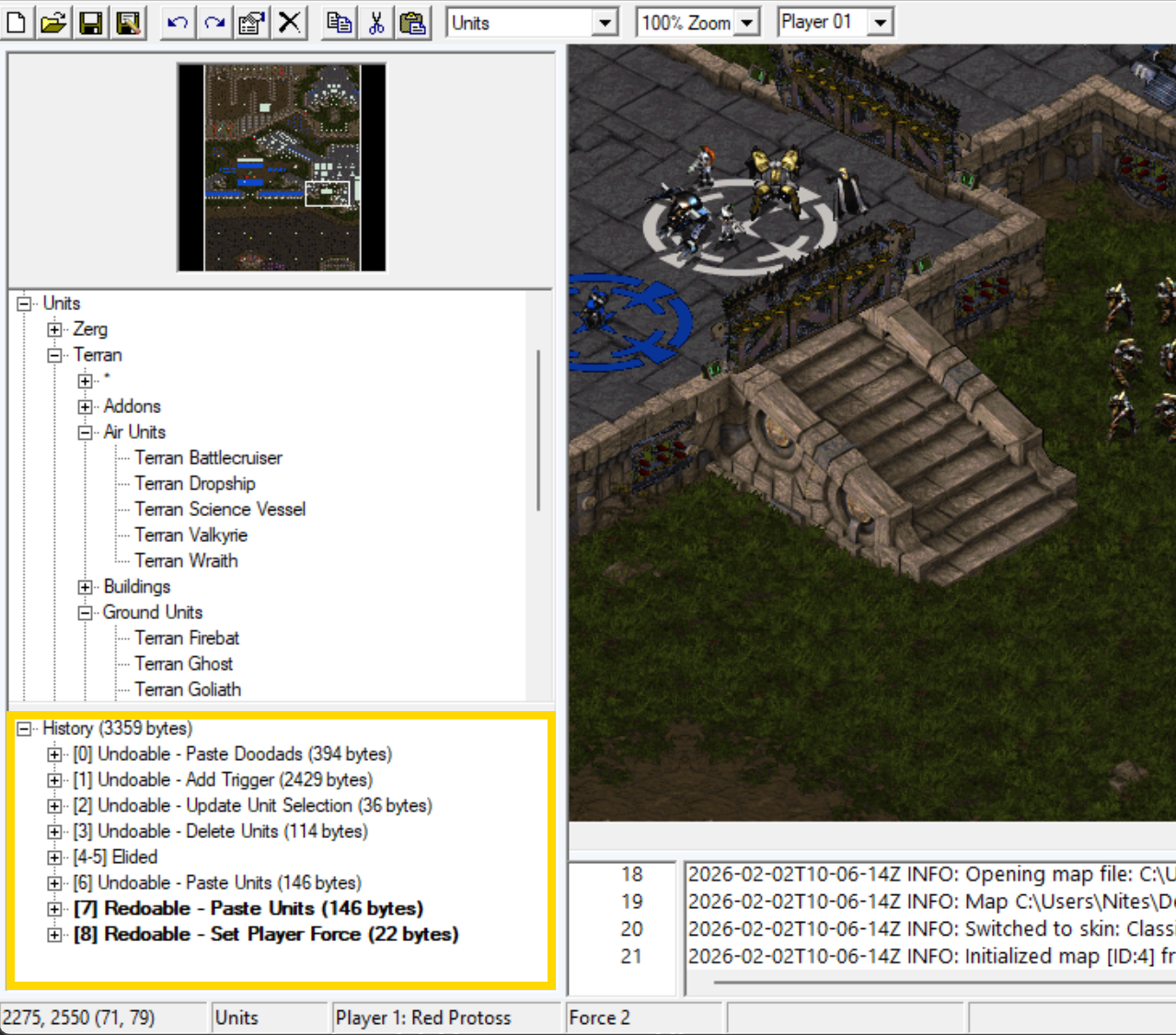
}
Core Examples
1.) Create a tracked type & read from it
struct Npc // Create your own data structure
{
    std::string name = "";
    int hitpoints = 0;

    REFLECT(Npc, name, hitpoints) // Before C++26, you'll need to reflect your struct using its name & field names
};
//REFLECT_PRIVATE(Npc, name, hitpoints) // If needed, you can reflect from outside a structure instead of inside

int main()
{
    auto jj = nf::make_tracked(Npc{.name = "jj", .hitpoints = 120}); // Make a tracked version of your data structure
    assert(jj.read.hitpoints == 120); // Read using the const & "read"
    assert(jj->hitpoints == 120); // Or using pointer semantics
    std::cout << "Hitpoints: " << jj->hitpoints << '\n';
}
2.) Write changes & print change history
struct Npc
{
    std::string name = "";
    int hitpoints = 0;

    REFLECT(Npc, name, hitpoints)
};

int main()
{
    auto smith = nf::make_tracked(Npc{.name = "jj", .hitpoints = 120});
    assert(smith->name == "jj" && smith->hitpoints == 120);
    smith()->name = "aj"; // You can make simple tracked changes using the ()-> syntax
    smith()->hitpoints = 150;
    assert(smith->name == "aj" && smith->hitpoints == 150);
    smith.print_change_history(std::cout); // You can see all data changes using print_change_history (or with more control via the renderer described later)
    // Note that standalone ()-> usage is often not best practice, mutators & explicit actions will cleanup syntax, group actions, and cut your overhead
}
3.) Write changes using an action method
struct Npc_data
{
    std::string name = "";
    int hitpoints = 0;

    REFLECT(Npc_data, name, hitpoints)
};

// Usually you want to create a tracked version of your structure by extending nf::tracked<SOURCE_DATA_TYPE, TRACKED_TYPE>
struct Npc : nf::tracked<Npc_data, Npc>
{
    Npc() : tracked(this) {} // Pass your "this" pointer to nf::tracked (allows nf_hist to call notification methods, covered later)

    void generate_character() // Now you can add methods to your tracked type
    {
        auto edit = create_action(); // Create an action which groups together some data changes
        edit->name = "jj";
        edit->hitpoints = rand()%100+1;
        assert(read.name == "jj" && read.hitpoints > 0); // Note that the data changes happen instantly
        // The action, however, isn't submitted to the change history until the action ("edit") goes out of scope
    }

};

int main()
{
    Npc npc {};
    npc.generate_character();
    npc.generate_character();
    npc.print_change_history(std::cout);
    // Note that you're now adding a single action to the change history for every call to generate_character
    // And the two data change events involved in generate_character get added under one action
    // This saves a little time & space over having separate actions for ever data change
    // And as we'll see in the future, this also makes them a single, undoable, label-able unit of work
}
4.) Leverage default initialization
struct Npc_data
{
    std::string name = "George"; // Inline initializers are one way of initializing your source data
    int hitpoints = 100;

    REFLECT(Npc_data, name, hitpoints)
};

struct Item_data
{
    std::string label = "";
    int damage = 0;
    int hitcount = 0;

    Item_data() : label("Sword"), damage(12), hitcount(0) {} // Default constructors are another way

    REFLECT(Item_data, label, damage, hitcount)
};

struct Npc : nf::tracked<Npc_data, Npc>
{
    Npc() : tracked(this) {}
};

struct Item : nf::tracked<Item_data, Item>
{
    Item() : tracked(this)
    {
        // Before running actions you can instruct hist to remember inline/ctor initialization (or *gasp* undefined initial state) if needed
        record_init(); // e.g. to ensure replays are valid even if initializers have changed in the code
    }
};

int main()
{
    Npc npc {};
    assert(npc->name == "George" && npc->hitpoints == 100 && // Source data is initialized via inline initializers
        npc.total_actions() == 0); // Using inline initializers is untracked
    std::cout << Json::out(*npc) << '\n';

    Item item {}; // Source data is initialized via ctor
    assert(item->label == "Sword" && item->damage == 12 && item->hitcount == 0 && // Source data is initialized via ctor
        item.total_actions() == 1); // Using ctor for initialization is untracked (but Item's ctor explicitly calls "record_init")
    std::cout << Json::out(*item) << '\n';
    item.print_change_history(std::cout);
}
5.) Perform an untracked initialization
struct Npc
{
    std::string name = "";
    int hitpoints = 0;

    REFLECT(Npc, name, hitpoints)
};

int main()
{
    auto npc = nf::make_tracked(Npc{});
    npc()->name = "Jack";
    assert(npc->name == "Jack" && npc->hitpoints == 0 && npc.total_actions() == 1);
    npc.clear_history(); // If edit history is not empty you cannot use init_data, clear_history can be used if needed

    npc.init_data<false>(Npc{.name = "Bill", .hitpoints = 50}); // init_data<false> performs an untracked (re)initialization
    assert(npc->name == "Bill" && npc->hitpoints == 50 && npc.total_actions() == 0);
}
6.) Perform a tracked initialization
struct Npc
{
    std::string name = "";
    int hitpoints = 0;

    REFLECT(Npc, name, hitpoints)
};

int main()
{
    auto npc = nf::make_tracked(Npc{});
    npc.init_data<true>(Npc{.name = "Jill", .hitpoints = 60}); // init_data<true> performs a tracked (re)initialization
    assert(npc->name == "Jill" && npc->hitpoints == 60 && npc.total_actions() == 1);

    npc.print_change_history(std::cout); // Tracked initializations remember the initial value in the change history
    // this isn't always necessary, e.g. live undo-redos will work fine without
    // but may be needed for something like data-history replays to start at the correct value after code-changes have occurred
}
7.) Undo & redo actions
struct Npc_data
{
    std::string name = "";
    int hitpoints = 0;
    int mana = 0;

    REFLECT(Npc_data, name, hitpoints, mana)
};

struct Npc : nf::tracked<Npc_data, Npc>
{
    Npc() : tracked(this) {}

    void full_restore()
    {
        auto edit = create_action();
        edit->hitpoints = 100;
        edit->mana = 100;
    }

    void hit(int damage)
    {
        create_action()->hitpoints = damage > read.hitpoints ? 0 : read.hitpoints - damage;
    }
};

int main()
{
    Npc npc {};
    npc.full_restore(); // 100
    npc.hit(5); // 95
    npc.hit(4); // 91
    assert(npc->hitpoints == 91);

    npc.undo_action(); // You can undo any action made by nf_hist, returning your data to a previous state
    assert(npc->hitpoints == 95);

    npc.redo_action(); // You can redo actions you've recently undone, restoring the state you were at
    assert(npc->hitpoints == 91);

    npc.undo_action(); // 95
    npc.undo_action(); // 100
    assert(npc->hitpoints == 100); // You can go back or forward multiple steps
    npc.redo_action(); // 95
    npc.redo_action(); // 91
    assert(npc->hitpoints == 91);

    npc.hit(20);
    assert(npc->hitpoints == 71);
}
8.) Redo elision
struct Npc_data
{
    std::string name = "";
    int hitpoints = 0;
    int mana = 0;

    REFLECT(Npc_data, name, hitpoints, mana)
};

struct Npc : nf::tracked<Npc_data, Npc>
{
    Npc() : tracked(this) {}

    void full_restore()
    {
        auto edit = create_action();
        edit->hitpoints = 100;
        edit->mana = 100;
    }

    void hit(int damage)
    {
        create_action()->hitpoints = damage > read.hitpoints ? 0 : read.hitpoints - damage;
    }
};

int main()
{
    Npc npc {};
    npc.full_restore(); // 100
    npc.hit(5); // 95
    npc.hit(4); // 91
    assert(npc->hitpoints == 91);

    npc.undo_action(); // 95
    npc.undo_action(); // 100
    assert(npc->hitpoints == 100);

    // If redos are still available when you perform a new action...
    npc.hit(20);
    assert(npc->hitpoints == 80);

    // The redos are "elided" - made unavailable for access by undos and redos
    npc.redo_action(); // No redos are available, so no change
    assert(npc->hitpoints == 80);

    // Those elided actions are still part of the change history (which is append-only), just no longer directly accessible via undo-redo
    npc.print_change_history(std::cout);
}
9.) Edit sub-elements
struct Item
{
    std::string label = "";
    float value = 0.0f;

    REFLECT(Item, label, value)
};

struct Npc_data
{
    std::string name = "";
    int hitpoints = 0;
    std::vector<Item> inventory {};

    REFLECT(Npc_data, name, hitpoints, inventory)
};

struct Npc : nf::tracked<Npc_data, Npc>
{
    Npc() : tracked(this) {}

    // If you need mutable, non-const sub-elements from your root data...
    struct Edit_item : nf::tracked_element<Item, NF_PATH(root->inventory[0])> // Create a type representing a sub-element of your data
    {
        using tracked_element::tracked_element;

        void decrease_value(float percentage) // Add some non-const mutator methods
        {
            edit.label += "*";
            edit.value -= read.value * percentage;
        }
    };

    Edit_item edit_item(std::size_t index) // Add a method to get a particular sub-element
    {
        return Edit_item(this, view.inventory[index]);
    }
};

int main()
{
    Npc npc {};
    npc.init_data(Npc_data{.name = "Shopkeeper", .hitpoints = 99, .inventory {
        Item { .label = "Bow", .value = 40.0f },
        Item { .label = "Arrows x50", .value = 10.0f }
    }});

    // When you have a tree of items... it's easy to read from items further down with the .read const ref
    assert(npc->inventory[0].label == "Bow");

    // And not hard to write to the individual fields that are further down
    npc()->inventory[0].label = "Willow Bow";
    assert(npc->inventory[0].label == "Willow Bow");

    // However, writing out the full path from your data root and making changes to individual fields is not always reasonable
    // When data gets complicated enough, being able to grab one non-const element, maybe pass it around, and use mutator methods is essential
    // This is the use-case for nf::sub_elements
    auto bow = npc.edit_item(0);
    auto arrows = npc.edit_item(1);

    assert(!npc->inventory[0].label.ends_with("*") && npc->inventory[0].value == 40.0f);
    assert(!npc->inventory[1].label.ends_with("*") && npc->inventory[1].value == 10.0f);
    bow.decrease_value(0.02f);
    arrows.decrease_value(0.033f);
    assert(npc->inventory[0].label.ends_with("*") && npc->inventory[0].value == 40.0f - 40.0f*0.02f);
    assert(npc->inventory[1].label.ends_with("*") && npc->inventory[1].value == 10.0f - 10.0f*0.033f);
}
10.) Use selections
struct Item
{
    std::string label = "";
    float value = 0.0f;

    REFLECT(Item, label, value)
};

struct Npc_data
{
    std::string name = "";
    int hitpoints = 0;
    std::vector<Item> inventory {};

    REFLECT(Npc_data, name, hitpoints, inventory)
};

struct Npc : nf::tracked<Npc_data, Npc>
{
    Npc() : tracked(this) {}
};

int main()
{
    Npc npc {};
    npc.init_data(Npc_data{.inventory {
        Item { .label = "Bow", .value = 40.0f },
        Item { .label = "Arrows x50", .value = 10.0f },
        Item { .label = "Sword", .value = 50.0f }
    }});

    auto edit = npc.create_action();
    edit->inventory.select({0, 2}); // Items in arrays/collections can be "selected", selection changes are tracked as part of history
    const auto expected_sel = std::vector<std::size_t>{0, 2};

    assert(npc.view.inventory.sel() == expected_sel); // You can read which items are selected using .view.path.to.elem.sel()

    // You can modify selections with a variety of methods
    edit->inventory.clear_selections();
    edit->inventory.select_all();
    edit->inventory.toggle_selected(1);
    edit->inventory.deselect(2);
    edit->inventory.sort_selection();
    assert(npc.view.inventory.sel() == std::vector<std::size_t>{0});

    // You can make perform assignment on all the items in a selection
    edit->inventory.selection().value = 5.0f;

    // Or make other changes
    edit->inventory.move_selections_bottom(); // Move the selected items to the "bottom" of the list/container
    edit->inventory.remove_selection(); // Delete selected items

    // Adding/removing/moving other items to/from/in a container, or undoing/redoing such actions automatically syncs such changes to the selection
    // Use selections when "selecting" something is meaningful for your application, e.g. selecting a bunch of items for bulk purchase/summing values
    // nf's selections are sometimes cheaper (in runtime/hist size) and ~always easier than floating your own (and manually syncing changes/undos/redos)
}
11.) Simple path & change notifications
struct Item
{
    std::string label = "";
    float value = 0.0f;

    REFLECT(Item, label, value)
};

struct Npc_data
{
    std::string name = "";
    int hitpoints = 0;
    std::vector<Item> inventory {};

    REFLECT(Npc_data, name, hitpoints, inventory)
};

struct Npc : nf::tracked<Npc_data, Npc> // Note: passing Npc allows nf to perform a compile-time check for methods like value_changed
{
    Npc() : tracked(this) {} // Note: passing this allows nf to call member methods on this without polymorphism

    // You can create a representation of the path from the "root" of your data to some field using NF_PATH (auto-complete friendly)
    using name_path = NF_PATH(root->name);
    using hitpoints_path = NF_PATH(root->hitpoints);
    using inventory_path = NF_PATH(root->inventory);

    // Paths can go down further levels, when you pass through arrays/collections you put an index
    // What index you use to make a path doesn't matter, it's just syntactically representative of an array access operator
    using item_value_path = NF_PATH(root->inventory[0].value);

    // NF_PATH is an easier/more preferred way of writing nf::make_path
    using same_item_value_path = nf::make_path<decltype(root->inventory[0].value)>;

    // Paths are used primarily to receive change notifications, e.g.
    void element_added(inventory_path, std::size_t index) // nf can sense and call this method automatically (while avoiding polymorphism)
    {
        std::cout << "item added to inventory: " << Json::out(read.inventory[index]) << '\n';
    }

    void value_changed(item_value_path path, const float & old_value, const float & new_value)
    {
        auto inventory_index = path.index<0>(); // If your path passes through arrays/collections you can get the index used from path
        std::cout << "inventory[" << inventory_index << "].value changed from " << old_value << " to " << new_value << '\n';
    }
};

int main()
{
    Npc npc {};
    npc()->inventory.append(Item{.label = "Sword", .value = 40.0f});
    npc()->inventory.append(Item{.label = "Axe", .value = 31.5f});

    npc()->inventory[1].value = 25.0f;
}
12.) All change notifications
struct Item
{
    std::string label = "";
    float value = 0.0f;

    REFLECT(Item, label, value)
};

struct Npc_data
{
    std::string name = "";
    int hitpoints = 50;
    std::vector<Item> inventory {};

    REFLECT(Npc_data, name, hitpoints, inventory)
};

struct Npc : nf::tracked<Npc_data, Npc>
{
    Npc() : tracked(this) {}

    // Hist uses the C.A.R.M.S. data change notifications - change, add, remove, move and sel update; separately there is the after_action notification
    //   add, remove, and move notifications apply to container-mutating operations, while change applies to set operations
    //   including changing regular fields, as well as elements within containers
    // Opt into a notification simply by adding the appropriate method, these methods have specific signatures and are made specific to fields using paths

    // void value_changed(PATH, OLD_VALUE, NEW_VALUE);
    // void element_added(PATH, INDEX);
    // void element_removed(PATH, INDEX);
    // void element_moved(PATH, OLD_INDEX, NEW_INDEX);
    // void selections_changed(PATH);
    // void after_action(size_t action_index);

    // You can supply the path inline (you also don't need to name the variable if it contains no random access indexes/keys you need to use)...
    void value_changed(NF_PATH(root->hitpoints), int old_hitpoints, int new_hitpoints) // Sent when the hitpoints value changes
    {
        std::cout << "Hitpoints changed from " << old_hitpoints << " to " << new_hitpoints << '\n';
    }

    // But it can be cleaner & better for multiple uses to provide an alias for paths
    using inventory_path = NF_PATH(root->inventory);
    using item_value_path = NF_PATH(root->inventory[0].value); // Reminder: the value given to array accesses in paths is meaningless

    void value_changed(item_value_path item, float old_value, float new_value)
    {
        auto item_index = item.index<0>();
        std::cout << "Item value at inventory index[" << item_index << "] changed from " << old_value << " to " << new_value << '\n';
    }

    void element_added(inventory_path, std::size_t index) // Sent when an Item is added to the inventory vector
    {
        const auto & item = read.inventory[index]; // Element at index is guarentee'd to still be available while this notification is processed
        std::cout << "Item added to inventory at index[" << index << "]: " << Json::out(item) << '\n';
    }

    void element_removed(inventory_path, std::size_t index) // Sent when an Item is removed from the inventory vector
    {
        const auto & item = read.inventory[index]; // Element will be removed *after* this notification is processed
        std::cout << "Removing item from inventory at index[" << index << "]: " << Json::out(item) << '\n';
    }

    void element_moved(inventory_path, std::size_t old_index, std::size_t new_index) // Sent when an Item is moved within the inventory vector
    {
        // Note that while the notifications come after the move, for better batch performance the order you get move notifications is not assured
        // Strongly consider using attached data and not notifications if your use case is covered by having a parallel array
        std::cout << "Inventory item moved from index " << old_index << " to " << new_index << '\n';
    }

    void selections_changed(inventory_path) // Sent when the items selected in the inventory change
    {
        std::cout << "Inventory selections changed: " << Json::out(view.inventory.sel()) << '\n';
        // Note that you may receive these notifications from ops that have potential to change selection, even if there were no substantive changes
    }

    void after_action(std::size_t action_index) // Sent after an action is submitted (when the action goes out of scope)
    {
        std::cout << "Action submitted: [" << action_index << "]\n";
        // This notification is especially useful together with action rendering & history trimming
    }

};

int main()
{
    Npc npc {};
    npc.init_data(Npc_data{});

    npc()->hitpoints -= 20;
    npc()->inventory.append(Item{.label = "Bow", .value = 40.0f});
    npc()->inventory.append(Item{.label = "Arrows x50", .value = 10.0f});
    npc()->inventory.append(Item{.label = "Sword", .value = 50.0f});

    npc()->inventory.remove(1); // Remove arrows, note that you also get an element_moved notification, cause the sword moved down from index 2 to 1
    npc()->inventory.move_down(0); // Move the bow down 1 (and consequently the sword up 1)
    npc()->inventory.select(0); // Select the sword
}
13.) Attach vector parallel to source data
struct Item
{
    std::string label = "";
    float value = 0.0f;

    REFLECT(Item, label, value)
};

struct Item_rendering
{
    int frame = 0;
    int x_offset = 0;
    int y_offset = 0;
    std::vector<std::uint8_t> texture {};

    ~Item_rendering()
    {
        //destroy_texture(*this);
        std::cout << "Graphics data cleaned up\n";
    }

    REFLECT(Item_rendering, frame, x_offset, y_offset, texture)
};

struct Npc_data
{
    std::string name = "";
    int hitpoints = 50;

    // You can use annotations (described in RareCpp's documentation) to indicate (at compile time) that you want this field treated somehow differently
    NOTE(inventory, nf::attach_data<std::unique_ptr<Item_rendering>>) // Attach_data instructs nf to maintain a parallel array of type, to inventory
    std::vector<Item> inventory {};

    REFLECT(Npc_data, name, hitpoints, inventory)
};

struct Npc : nf::tracked<Npc_data, Npc>
{
    Npc() : tracked(this) {}

    void element_added(NF_PATH(root->inventory), std::size_t index)
    {
        const Item & item = read.inventory[index]; // This is a parallel array, so the item at index...
        std::unique_ptr<Item_rendering> & rendering = view.inventory.attached_data(index); // Matches the attached data at index
        rendering = std::make_unique<Item_rendering>();
        rendering->frame = rand();
        rendering->x_offset = int(index)*2;
        rendering->y_offset = 0;
        //load_texture(rendering.texture);
        std::cout << "Initialized graphics for " << item.label << "\n";
    }
};

int main()
{
    Npc npc {};
    auto edit = npc.create_action();
    edit->inventory.append(Item{.label = "Sword"});
    edit->inventory.append(Item{.label = "Bow"});
    edit->inventory.append(Item{.label = "Axe"});

    assert(npc->inventory[0].label == "Sword" && npc.view.inventory.read_attached_data()[0]->x_offset == 0);
    assert(npc->inventory[1].label == "Bow" && npc.view.inventory.read_attached_data()[1]->x_offset == 2);
    assert(npc->inventory[2].label == "Axe" && npc.view.inventory.read_attached_data()[2]->x_offset == 4);

    std::cout << "Removing item\n";
    edit->inventory.remove(1); // Remove the bow, axe and its attached data should fall down to index 1, maintaining their parallel-array relationship
    std::cout << "Removal complete\n";
    assert(npc->inventory[0].label == "Sword" && npc.view.inventory.read_attached_data()[0]->x_offset == 0);
    assert(npc->inventory[1].label == "Axe" && npc.view.inventory.read_attached_data()[1]->x_offset == 4);
    std::cout << "Example function finished/remaining items going out of scope\n";
}
14.) Add data to actions
struct Item
{
    std::string label = "";
    float value = 0.0f;

    REFLECT(Item, label, value)
};

struct Npc_data
{
    std::string name = "";
    int hitpoints = 50;
    std::vector<Item> inventory {};

    REFLECT(Npc_data, name, hitpoints, inventory)
};

struct Notes // Define some data structure you want attached to each action
{
    std::string value;

    bool operator==(const Notes & other) const { return value == other.value; } // Need an operator== overload if your type doesn't automatically have one
};

struct Npc : nf::tracked<Npc_data, Npc, Notes> // Provide this data structure as the third template argument to nf::tracked
{
    Npc() : tracked(this) {}

    void hit(int damage, std::string source)
    {
        auto edit = create_action({"Npc is getting hit by " + source});
        edit->hitpoints -= damage;
    }
};

int main()
{
    Npc npc {};
    npc.hit(12, "burn");
    npc.hit(20, "poison");

    for ( std::size_t i=0; i<npc.total_actions(); ++i )
        std::cout << npc.get_action_user_data(i).value << '\n';

    // This user data is associated with the action and can be accessed whenever via the action index (perhaps from an after_action notification)
    // It is strongly recommended to minimize the data you attach to actions as it will be present on every action for that tracked type
    // e.g. you might only attach an enum value instead of a string, and use that to give your action a user-friendly description
    // Otherwise attached data will become unnecessary size, if not also unnecessary time overhead
}
15.) Render actions
struct Item
{
    std::string label = "";
    float value = 0.0f;

    REFLECT(Item, label, value)
};

struct Npc
{
    std::string name = "";
    int hitpoints = 50;
    std::vector<Item> inventory {};

    REFLECT(Npc, name, hitpoints, inventory)
};

int main()
{
    auto npc = nf::make_tracked<Npc>({});
    npc()->hitpoints = 40;
    npc()->hitpoints = 30;

    npc.print_change_history(std::cout); // You can print your change history.. but this is mainly for debugging purposes
    // In a real application you probably don't want to rely on nfs rigid formatting as well as always including every action

    auto action_count = npc.total_actions();
    for ( std::size_t i=0; i<action_count; ++i )
    {
        nf::rendered_action<> action {};
        npc.render_action(i, action, true); // "Rendering" gives you control over which actions/events to render and lets you browse details

        switch ( action.status )
        {
            case nf::action_status::undoable: std::cout << "Action[" << i << "] (undoable)\n"; break;
            case nf::action_status::redoable: std::cout << "Action[" << i << "] (redoable)\n"; break;
            case nf::action_status::elided_redo: std::cout << "Action[" << i << "] (elided_redo)\n"; break;
            case nf::action_status::unknown: break;
        }
        std::cout << "  byte_count: " << action.byte_count << '\n';
        std::cout << "  user_data: " << Json::out(action.user_data) << '\n';
        std::cout << "  events: {\n";
        for ( const auto & event : action.change_events )
        {
            std::cout << "    op: " << int(event.operation) << '\n';
            std::cout << "    summary: " << event.summary << "\n  }\n";
        }
    }
}
16.) Create user-friendly action labels
enum class Descriptor
{
    none,
    pickup_item,
    recieve_trade_item,
    drop_item,
    burn_damage_tick,
    poison_damage_tick
};

struct Action_descriptor
{
    Descriptor descriptor = Descriptor::none;
    constexpr Action_descriptor() noexcept = default;
    constexpr Action_descriptor(Descriptor descriptor) : descriptor(descriptor) {}
    friend constexpr bool operator==(const Action_descriptor & lhs, const Action_descriptor & rhs) noexcept { return lhs.descriptor == rhs.descriptor; }
};

struct Item
{
    std::string label = "";
    float value = 0.0f;

    REFLECT(Item, label, value)
};

struct Npc_data
{
    std::string name = "";
    int hitpoints = 50;
    std::vector<Item> inventory {};

    REFLECT(Npc_data, name, hitpoints, inventory)
};

struct Npc : nf::tracked<Npc_data, Npc, Action_descriptor>
{
    Npc() : tracked(this) {}

    void pickup_item(const Item & item)
    {
        auto edit = create_action(Descriptor::pickup_item);
        edit->inventory.append(item);
    }

    void recieve_trade_item(const Item & item)
    {
        auto edit = create_action(Descriptor::recieve_trade_item);
        edit->inventory.append(item);
    }

    void drop_item(std::size_t index)
    {
        if ( index < read.inventory.size() )
        {
            auto edit = create_action(Descriptor::drop_item);
            edit->inventory.remove(index);
        }
    }

    void apply_burn_tick()
    {
        auto edit = create_action(Descriptor::burn_damage_tick);
        edit->hitpoints -= 12;
    }

    void apply_poison_tick()
    {
        auto edit = create_action(Descriptor::poison_damage_tick);
        edit->hitpoints -= 20;
    }

    void process_tick()
    {
        apply_burn_tick();
        apply_poison_tick();
    }

    void after_action(std::size_t index)
    {
        auto descr = get_action_user_data(index).descriptor;
        switch ( descr ) // Derive the label from the descriptor associated with the action
        {
            case Descriptor::pickup_item: std::cout << "Picked up item\n"; break;
            case Descriptor::recieve_trade_item: std::cout << "Received item\n"; break;
            case Descriptor::drop_item: std::cout << "Dropped item\n"; break;
            case Descriptor::burn_damage_tick: std::cout << "Burn damage\n"; break;
            case Descriptor::poison_damage_tick: std::cout << "Poison damage\n"; break;
            case Descriptor::none: break;
        }

        nf::rendered_action<Action_descriptor> action {}; // Can combine with rendering to make a fuller/more informative display
        render_action(index, action, true);
        for ( auto & event : action.change_events )
            std::cout << "  " << event.summary << '\n';

        std::cout << '\n';
    }
};

int main()
{
    // By default, hist can provide you a very nice technical rendering of what changed in an action
    // But that is very different from providing a user-friendly description (/"label") for an action, which you can do with action user data
    Npc npc {};
    npc.pickup_item(Item{.label = "Bones", .value = 0.5f});
    npc.recieve_trade_item(Item{.label = "Sword", .value = 50.0f});
    npc.drop_item(0);
    npc.process_tick();
}
17.) Optimize history size
struct Item
{
    std::string label = "";
    float value = 0.0f;

    REFLECT(Item, label, value)
};

struct Npc
{
    std::string name = "";
    int hitpoints = 50;
    std::vector<Item> inventory {};

    REFLECT(Npc, name, hitpoints, inventory)
};

struct OptimizedNpc
{
    std::string name = "";
    int hitpoints = 50;

    NOTE(inventory, nf::index_size<std::uint8_t>)
    std::vector<Item> inventory {};

    REFLECT(OptimizedNpc, name, hitpoints, inventory)
};

static std::size_t sum_history_size(auto & tracked)
{
    std::size_t total_size = 0;
    auto action_count = tracked.total_actions();
    for ( std::size_t i=0; i<action_count; ++i )
    {
        nf::rendered_action<> action {};
        tracked.render_action(i, action);
        total_size += action.byte_count;
    }
    return total_size;
}

int main()
{
    auto npc = nf::make_tracked<Npc>(Npc{.inventory {
        Item { .label = "Bow", .value = 40.0f },
        Item { .label = "Arrows x50", .value = 10.0f }
    }});

    npc()->inventory[0].value *= 0.80f;
    npc()->inventory[1].value *= 0.75f;

    npc.print_change_history(std::cout);
    // If you peer into the bytes, you'll see that 8 bytes (or maybe 4/otherwise depending on your system/compilation settings)
    // Are being used to store the indexes [0] and [1] used in the actions above
    // This can add up to a lot, and unnecessarily if you know there is some maximum amount of items the inventory can hold (like 100)...
    // When that's the case you can use a smaller index (supplied in the NOTE on inventory using nf::index_size)
    std::cout << "Total size: " << sum_history_size(npc) << "\n\n";

    auto optimized_npc = nf::make_tracked<OptimizedNpc>(OptimizedNpc{.inventory {
        Item { .label = "Bow", .value = 40.0f },
        Item { .label = "Arrows x50", .value = 10.0f }
    }});

    optimized_npc()->inventory[0].value *= 0.80f;
    optimized_npc()->inventory[1].value *= 0.75f;

    optimized_npc.print_change_history(std::cout);
    // This, combined with removing redundant fields and using smaller size types in general, can greatly reduce your history size
    std::cout << "Total size: " << sum_history_size(optimized_npc) << '\n';
}
18.) Cap history size
struct Item
{
    std::string label = "";
    float value = 0.0f;

    REFLECT(Item, label, value)
};

struct Npc_data
{
    std::string name = "";
    int hitpoints = 50;
    std::vector<Item> inventory {};

    REFLECT(Npc_data, name, hitpoints, inventory)
};

struct Npc : nf::tracked<Npc_data, Npc>
{
    Npc() : tracked(this) {}

    std::size_t max_action_count = 10;
    std::size_t max_hist_bytes = 300;
    std::size_t running_byte_count = 0; // You can keep track of how much space hist is using

    void after_action(std::size_t index)
    {
        nf::rendered_action<> action {};
        render_action(index, action, false);
        running_byte_count += action.byte_count;
        if ( running_byte_count > max_hist_bytes ) // If it exceeds your size limit
            running_byte_count = trim_history_to_size(max_hist_bytes*4/5); // Trim it to a smaller size (use a ratio to not run this after *every* action)
        else if ( total_actions() > max_action_count ) // If it exceeds your action count limit
        {
            trim_history(max_action_count/5); // Trim to a smaller action count
            running_byte_count = 0;
            auto action_count = total_actions();
            for ( std::size_t i=0; i<action_count; ++i )
            {
                nf::rendered_action<> act {};
                render_action(i, act, false);
                running_byte_count += act.byte_count;
            }
        }

        // Trimming will remove your earliest actions first and will always remove elided actions in blocks
    }
};

int main()
{
    Npc npc {};
    npc()->hitpoints += 1;
    npc()->hitpoints += 1;
    npc()->hitpoints += 1;
    npc()->hitpoints += 1;
    npc()->hitpoints += 1;
    npc()->hitpoints += 1;
    npc()->hitpoints += 1;
    npc()->hitpoints += 1;
    npc()->hitpoints += 1;
    npc()->hitpoints += 1;
    assert(npc.total_actions() == 10);
    npc()->hitpoints += 1;
    assert(npc.total_actions() == 9);
    npc()->hitpoints += 1;
    assert(npc.total_actions() == 10);
    npc()->hitpoints += 1;
    assert(npc.total_actions() == 9);
    npc()->inventory.append(std::vector<Item>{Item{}, Item{}, Item{}, Item{}, Item{}, Item{}, Item{}, Item{}, Item{}, Item{}, Item{}});
    assert(npc.total_actions() < 9); // Should have exceeded size limit
    npc.print_change_history(std::cout);
}